
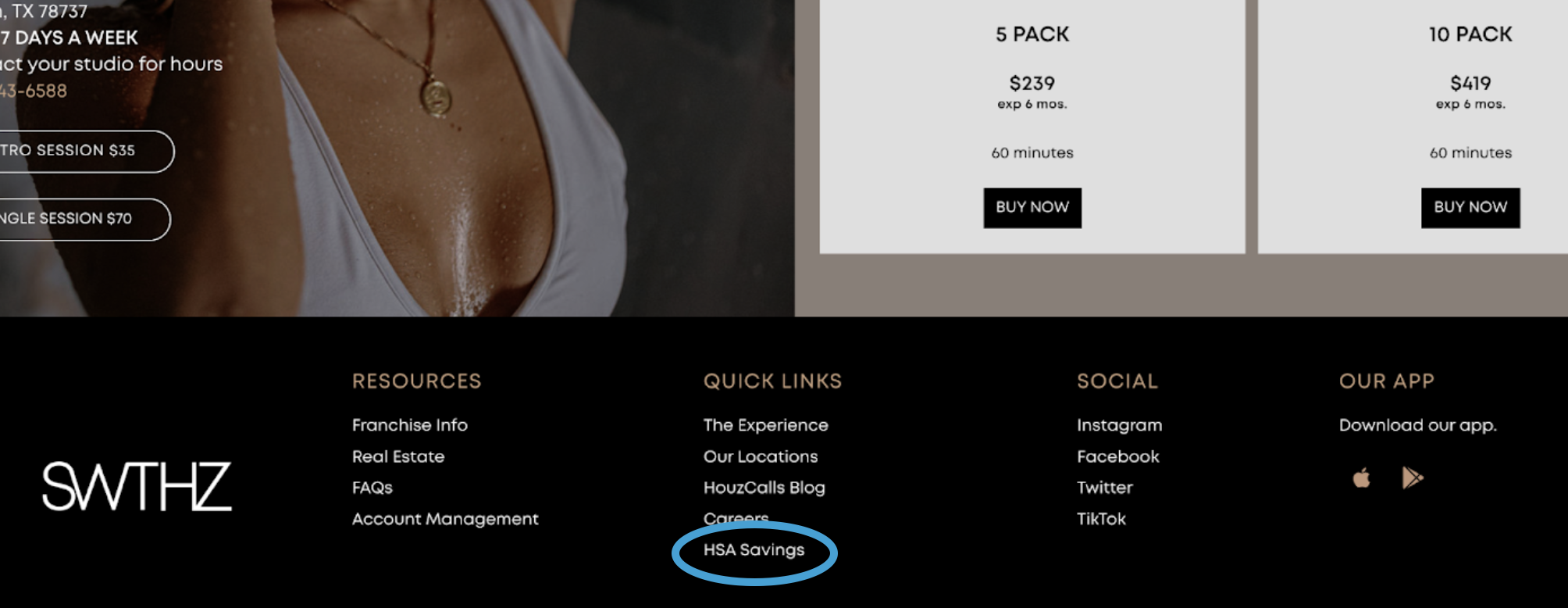
The Goal
Ensure customers can always find your Truemed qualification survey or landing page by making HSA/FSA access a permanent part of your site’s navigation or footer.
A simple, visible placement can be one of the highest-impact changes you make. Gyms and studios have doubled their Truemed conversions within a month after adding this update. Placing HSA/FSA alongside “Resources,” “Membership,” or “Pricing” ensures every visitor knows they can pay with pre-tax dollars.
Why It Works:
Always visible: Customers can discover eligibility at any point in their journey
Low lift: Quick update in your CMS or website builder (~10 minutes)
Proven impact: Captures customers who might otherwise miss HSA/FSA messaging
How to Add HSA/FSA to Your Homepage Nav:
1. Choose a placement:
Footer: under “Resources” or “Help”
Navigation menu: under “Membership,” “Pricing,” or “Plans”
Destination: Goes directly to your Truemed landing page or qualification survey
2. Pick A Label
Use the option that best fits your brand voice:
HSA/FSA Eligibility
Qualify to Use HSA/FSA
HSA/FSA Savings
3. Set The Destination
Point the placement directly to your Truemed Truemed landing page or qualification survey so customers reach the right page every time.